Activating your account
Who can do this: anyone who has been given a Pulse account (viewer, operator or organization administrator).
Pulse has no self-service sign-up. Your organization administrator creates your account, and Pulse emails you a link to set your first password. Until you set a password you cannot sign in.
Receive the activation email
The email comes from pulse@labmonitors.com with the subject Welcome to Pulse, your name - Set your password. It contains a Set your password button and the line "This link will expire in 30 minutes."
The 30 minutes count from the moment your account was created, not from when you open the email. If you cannot find the message, check your spam or junk folder first.
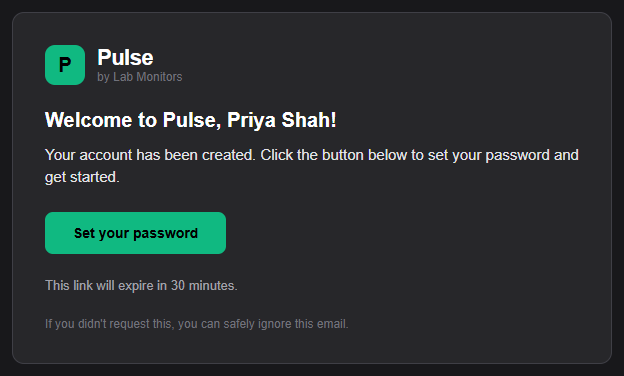
The Welcome to Pulse email with the Set your password button.
Set your password
- Click Set your password in the email. The Set your password page opens and shows the email address of the account ("For you@example.com").
- Enter a password in New Password. It must be at least 12 characters long. There are no other rules; see Password rules.
- Enter the same password in Confirm New Password.
- Click Set Password.
Pulse takes you to the sign-in page with the message "Password set successfully. You can now sign in." Sign in with your email address and the password you just chose.
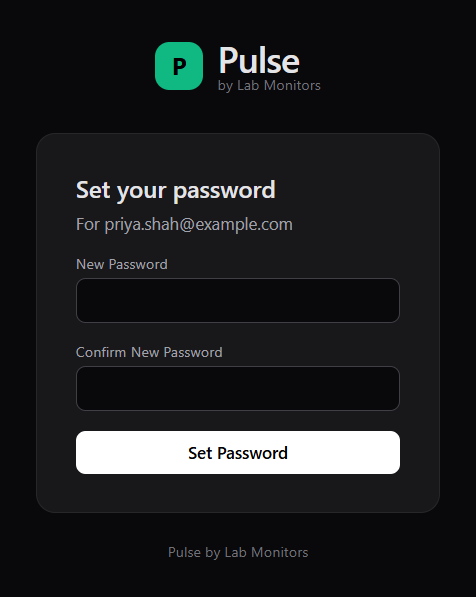
The Set your password form shows the account email and both password fields.
If something is wrong with what you typed, Pulse shows one of these messages instead. Your link is still valid in both cases; go back and try again.
| Message | Meaning |
|---|---|
| "Passwords do not match" | The two fields differ. Use your browser's back button and re-enter both. |
| "Password must be at least 12 characters." | Choose a longer password. Use the Back link on the page. |
If the link says "Invalid or expired link"
The page "Invalid or expired link" appears when:
- more than 30 minutes have passed since the account was created;
- the link has already been used to set a password (each link works exactly once);
- the link was copied incompletely, for example split across two lines in the email.
Your account still exists. To get a fresh link:
- Open the sign-in page and click Forgot password?.
- Enter the email address your account was created with and click Send reset link.
- Follow the link in the email Reset your Pulse password and set your password as described above.
The reset flow works for an account that has never had a password, so it is the normal way to recover from an expired activation link. There is no separate "resend activation email" button. See Reset a forgotten password for the details and limits of that flow.
Note
The sign-in page footer says "Contact your administrator if you need an account." If you have not received any email at all, ask your organization administrator to confirm the address on your account. If the address is right and no message arrives after a reset request either, contact Lab Monitors support to check email delivery for your organization.
Next steps
- Signing in and passwords
- Your profile and notification settings, where you set your timezone, phone number and notification schedule
- Roles at a glance, to see what your account can do